
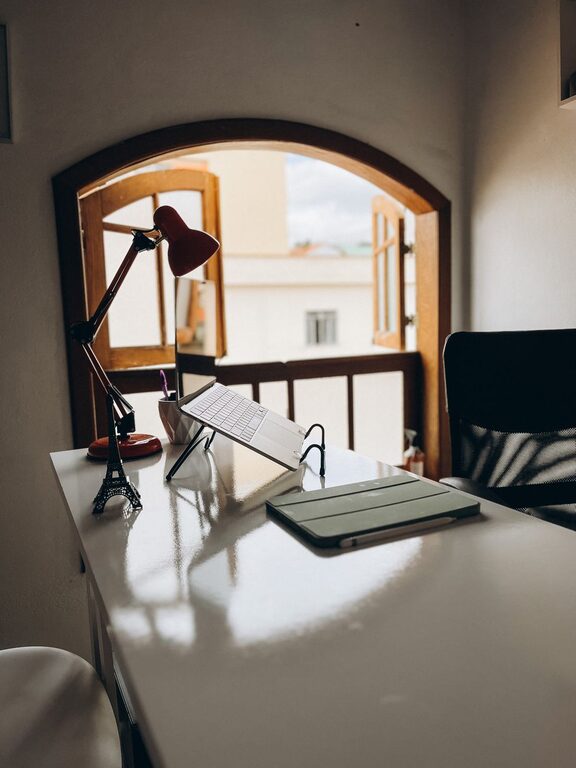
Creating a cozy and productive home workspace is essential for anyone working remotely, freelancing, or simply managing tasks from home. A well-designed area not only enhances your comfort but also boosts focus and efficiency. In this post, we’ll explore practical tips for setting up a home workspace that invites productivity and feels inviting.
Choose the Right Location
Find a Quiet Space
Selecting the right spot is the first step. Look for a quiet corner or room with minimal distractions. If possible, avoid high-traffic areas where family members or roommates frequently pass through.
Consider Natural Light
Natural light can do wonders for your mood and energy levels. Position your desk near a window to take advantage of daylight, but be mindful of glare on your screen.
Invest in Comfortable Furniture
Choose an Ergonomic Chair
Comfort matters when you spend long hours working at your desk. An ergonomic chair supports your back and encourages good posture, reducing the risk of discomfort or injury.
Get a Suitable Desk
Pick a desk that fits your space and meets your needs. Whether it’s a traditional desk or a standing desk, having enough surface area to organize your essentials keeps you focused and tidy.
Organize Your Workspace Efficiently
Declutter Regularly
A cluttered desk can be distracting. Keep only the items you use frequently within reach and store away everything else. Regular decluttering boosts clarity and helps you stay organized.
Use Storage Solutions
Incorporate shelves, drawers, or organizers to store documents, stationery, and tech accessories. Labeling storage boxes or files can save time searching for important items.
Personalize Your Space
Add Cozy Touches
Incorporate soft cushions, a small blanket, or an area rug to make your workspace inviting. These elements add warmth without compromising professionalism.
Include Plants or Artwork
Introducing greenery or artwork can improve your environment and creativity. Choose low-maintenance plants like succulents or inspirational prints that make you happy.
Manage Lighting Effectively
Combine Natural and Artificial Light
In addition to natural light, use adjustable desk lamps or overhead lighting to reduce eye strain. Opt for warm, soft lighting to maintain a cozy atmosphere.
Reduce Screen Glare
Position your monitor away from direct sunlight or use anti-glare screen protectors. Proper lighting prevents headaches and keeps you comfortable.
Minimize Distractions
Set Boundaries with Others
Communicate your workspace boundaries to family or roommates. Using a closed door or “do not disturb” sign can signal when you need focus.
Use Noise-Canceling Tools
If ambient noise is an issue, consider noise-canceling headphones or white noise machines to block distractions.
Establish a Routine
Designate Work Hours
Having a set schedule helps separate work from personal life. Stick to consistent start and end times to create balance and reduce stress.
Take Regular Breaks
Incorporate short breaks to stretch, hydrate, or relax your eyes. Breaks aid concentration and prevent burnout.
Optimize Technology Setup
Keep Devices Organized
Use cable organizers to prevent tangled cords. Having a neat tech setup contributes to a clean workspace and saves time.
Invest in Quality Equipment
Reliable technology—like a good monitor, keyboard, and internet connection—enhances productivity and reduces frustration.
Prioritize Comfort and Wellness
Maintain Good Air Quality
If possible, open windows for fresh air or use an air purifier. Fresh air keeps you alert and promotes well-being.
Mind Your Posture
Adjust your chair, desk, and monitor height to ensure ergonomic alignment. Good posture supports comfort during long work hours.
—
Creating a cozy and productive home workspace doesn’t require a big budget or an entire room. With thoughtful choices and simple adjustments, you can design an environment that supports both comfort and focus. Start by assessing your space and needs, then gradually implement these tips to make your home workspace a place you enjoy spending time in.